A Full Home Interior Price Calculator is a tool — usually a spreadsheet or web app — that estimates how much it will cost to design and execute the entire interior of a home. It breaks the project into measurable pieces (rooms, trades, materials, furniture, appliances, taxes, contingency) and uses unit rates or percentages to produce a realistic total. It’s meant to give homeowners, designers, and contractors a transparent, line-by-line cost estimate so decisions are data-driven.
Below I’ll explain what it includes, how it works, show a ready formula set you can drop into a spreadsheet, and give a worked example (so you immediately see how numbers add up).
Core components (what the calculator estimates)
- Project basics
- Project name, location, floor area (sq ft / sq m), number of rooms, project start date.
- Civil & Structural work
- Any demolition, new partitions, plaster, brickwork, flooring leveling, POP/plaster ceiling work.
- Carpentry / Joinery
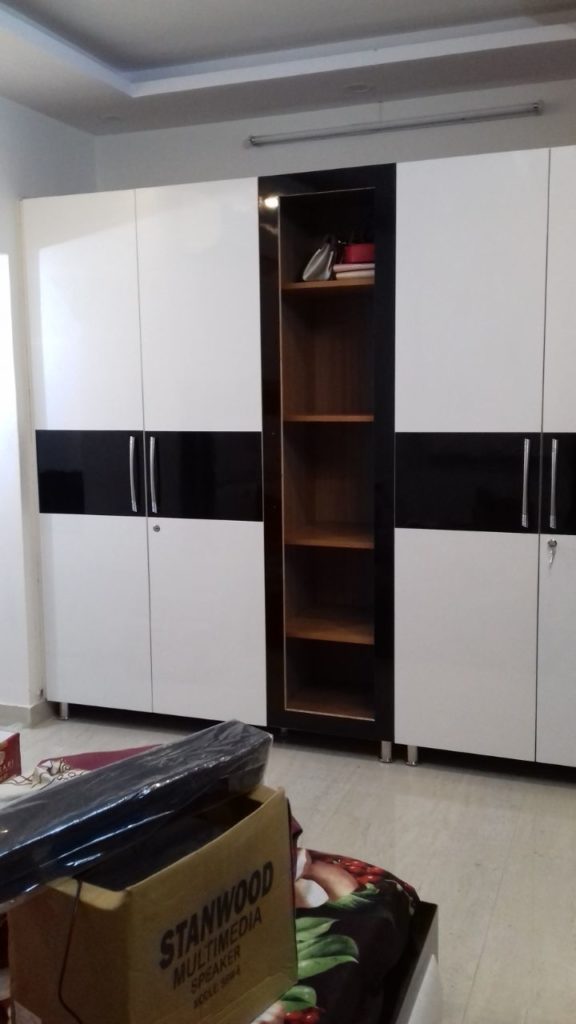
- Kitchen (modular cabinetry), wardrobes, TV unit, shoe storage, custom furniture, doors.
- Kitchen & Appliances
- Countertops, hob, chimney, oven, sink, fittings.
- Bathrooms & Plumbing
- Sanitary fixtures, tiles, shower enclosures, all plumbing work.
- Electrical & Lighting
- Wiring, switchgear, sockets, decorative & functional lights, fans, chandeliers, small power.
- Flooring & Wall Finishes
- Tiles / engineered wood / marble, paint, wallpapers, cladding, textured finishes.
- HVAC & Mechanical
- AC units, gas, ventilation, chimney ducts (if applicable).
- Finishing & Fixtures
- Handles, hinges, hardware, mirrors.
- Soft Furnishings & Décor
- Curtains, blinds, rugs, cushions, art, styling.
- Project Management & Designer Fee
- Fixed fee or % of total; includes site supervision and coordination.
- Contingency & Taxes
- Contingency (commonly 5–10%) and applicable GST/taxes.
- Miscellaneous
- Transport, unplanned civil changes, approvals.
Typical inputs the calculator needs
- Area: total built-up area or room areas (sq ft).
- Scope per room: e.g., kitchen (full), living (furnish + TV unit), bedrooms (wardrobes + beds).
- Finish quality tier: Basic / Standard / Premium (affects per-unit rates).
- Unit rates: cost per sq ft or cost per item for each category (you set these or use default local benchmarks).
- Quantities: number of units (doors, wardrobes, bathrooms).
- Contingency % and Designer fee %.
- Taxes (GST %), if you want gross cost.
How it works (formula logic)
At a high level, each line = Quantity × Unit Cost. Then sum lines by category, add fees & contingency, then taxes.
Example formula patterns (spreadsheet style):
LineCost = Quantity * UnitRateRoomCost = SUM(LineCosts for that room)BasicSubtotal = SUM(all RoomCosts)DesignerFee = BasicSubtotal * DesignerFeePercentContingency = BasicSubtotal * ContingencyPercentPreTaxTotal = BasicSubtotal + DesignerFee + Contingency + MiscCostsTax = PreTaxTotal * TaxPercentGrandTotal = PreTaxTotal + Tax
Spreadsheet template (column headings and formulas)
Create a sheet with columns:
| A | B | C | D | E | F |
|---|---|---|---|---|---|
| Category | Item/Description | Quantity | Unit | Unit Rate (₹) | Line Total (₹) |
Put this formula in F2 and copy downward:
= C2 * E2
Category rows (examples):
- Civil Works — Partition (sqm) — Qty — Unit — Rate — Line Total
- Carpentry — Kitchen Full Run (LFT) — Qty — Rate — Line Total
- Electrical — Points (nos) — Qty — Rate — Line Total
- Furnishing — Sofa (3-seater) — 1 — Rate — Line Total
- etc.
Then create summary section:
| Summary | Formula |
|---|---|
| Subtotal (sum of all Line Total) | =SUM(F:F) |
| Designer Fee (%) | input cell like B100 = 8% |
| Designer Fee (₹) | =Subtotal * B100 |
| Contingency (%) | input cell B101 = 7% |
| Contingency (₹) | =Subtotal * B101 |
| Misc/Transport (₹) | manual input |
| Pre-Tax Total | =Subtotal + DesignerFee + Contingency + Misc |
| Tax (GST %) | input B102 (e.g. 18%) |
| Tax (₹) | =PreTaxTotal * B102 |
| Grand Total | =PreTaxTotal + Tax |
Sample worked example (3BHK contemporary, 1,400 sq ft, mid-tier)
Assumptions:
- Area: 1,400 sq ft
- Finish Tier: Standard / Contemporary
- Designer fee: 8%
- Contingency: 6%
- GST: 18%
Representative unit rates (example, indicative only — local rates vary):
- Carpentry (modular kitchen per run) = ₹220,000
- Wardrobes (per bedroom) = ₹90,000
- Living room furniture + TV unit = ₹180,000
- Bathrooms (per bathroom fully upgraded) = ₹120,000
- Flooring & paint (per sq ft) = ₹160 (so 1400 * 160 = ₹224,000)
- Electrical & lighting = ₹90,000
- Misc (curtains, décor) = ₹75,000
- Civil/minor works = ₹60,000
- Appliances (kitchen major) = ₹65,000
- Project management & other small items = ₹30,000
Line totals (rounded):
- Carpentry (kitchen) = 220,000
- Wardrobes (3 bedrooms) = 270,000
- Living + Dining furniture = 180,000
- Bathrooms (2) = 240,000
- Flooring + Paint = 224,000
- Electrical + Lighting = 90,000
- Appliances = 65,000
- Civil works = 60,000
- Décor & Soft Furnishings = 75,000
- Project management = 30,000
Subtotal = ₹1,754,000
Add Designer fee (8%): = 1,754,000 * 0.08 = ₹140,320
Add Contingency (6%): = 1,754,000 * 0.06 = ₹105,240
Pre-Tax Total = 1,754,000 + 140,320 + 105,240 = ₹1,999,560
GST 18% = = 1,999,560 * 0.18 = ₹359,920.80
Grand Total ≈ ₹2,359,480 (~ ₹23.6 Lakh)
This shows how a mid-tier contemporary 3BHK of 1,400 sq ft could realistically come to ~₹20–25 Lakh depending on exact rates and choices.
Practical tips for using the calculator
- Use local unit rates. Replace my example rates with quotes from local vendors/designers. Rates vary city-to-city.
- Break down to the smallest practical unit. E.g., quantify doors, linear feet of cabinetry, sq ft of flooring. Smaller granularity improves accuracy.
- Keep a contingency line. 5–10% is standard for interior projects.
- Track actuals vs estimate. Add columns for
Quoted,Committed, andActualto manage spending during execution. - Version your estimate. As scope changes, keep V1, V2, V3 to see how choices affect totals.
- Include timelines. Not part of price, but link payments to milestones.
Want a ready-to-use file?
I can:
- Create a downloadable Excel / Google Sheet template pre-filled with these formulae and the sample rates above.
- Or produce two pre-filled example sheets (one budget ₹10–20L, one ₹20–30L) tuned for Gurgaon / Palam Vihar / Gulmohar Apartments assumptions.
Would you like me to build a ready spreadsheet template now (Excel or Google Sheets) using the sample rates and the 3BHK example? If yes, tell me which size (sq ft) and target budget tier (e.g., ₹10–20L, ₹20–30L), and I’ll produce it.